The OJEU and other public notices functionality integrate with TED eSender for OJEU notices and Contracts Finder for UK tenders which allows users to create and publish public notices through the platform without having to use the third-party applications. This guide will show you how to create a Public Notice.
| Please note the application does not validate the legal compliance or content of the notice. Validation is strictly limited to data formatting and mandatory fields. |
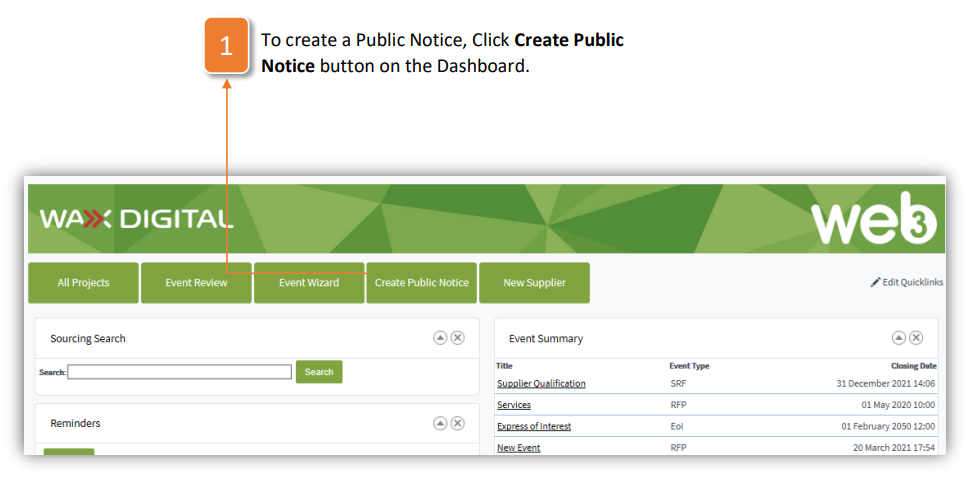
- To create a Public Notice, Click Create Public Notice button on the Dashboard.
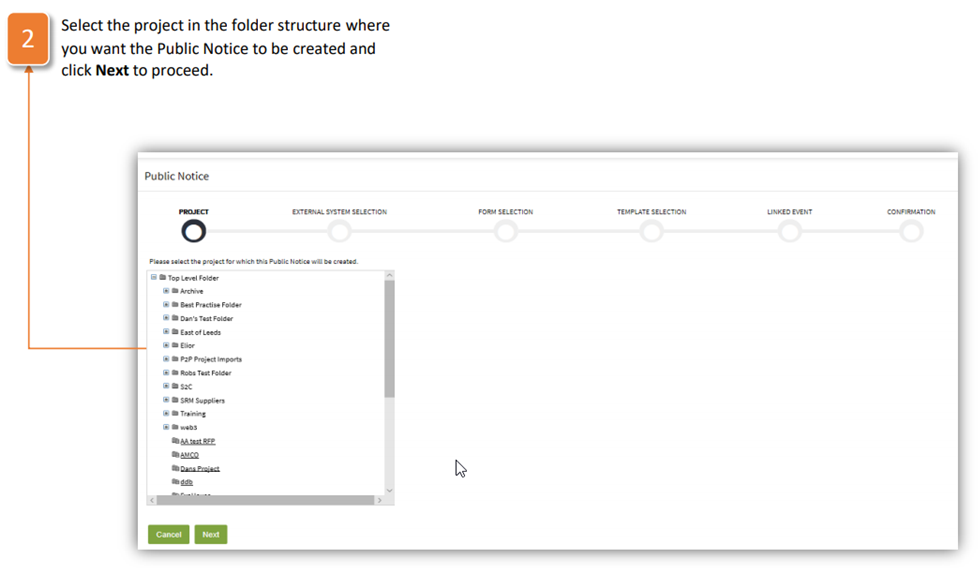
- Select the project in the folder structure where you want the Public Notice to be created and click Next to proceed.
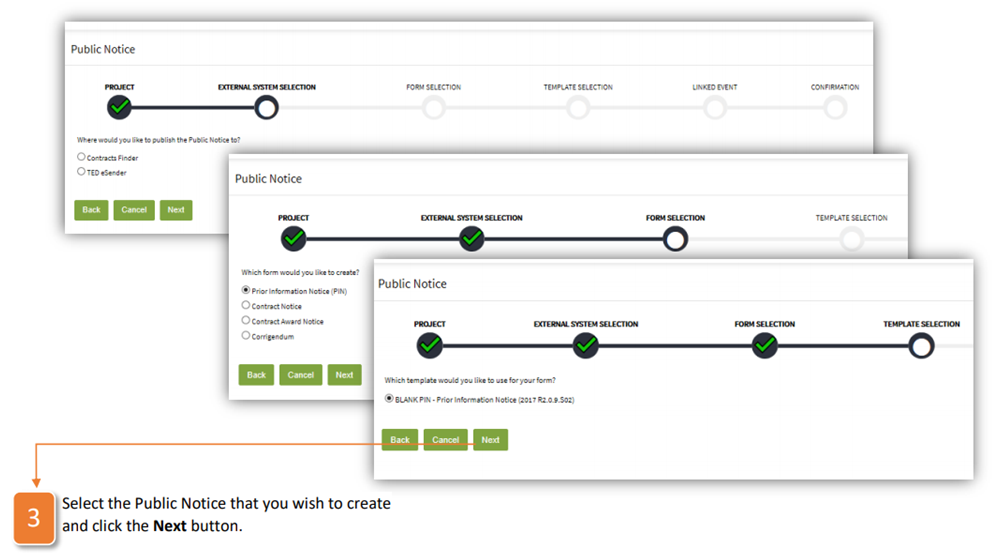
- Select the Public Notice that you wish to create 3 and click the Next button.
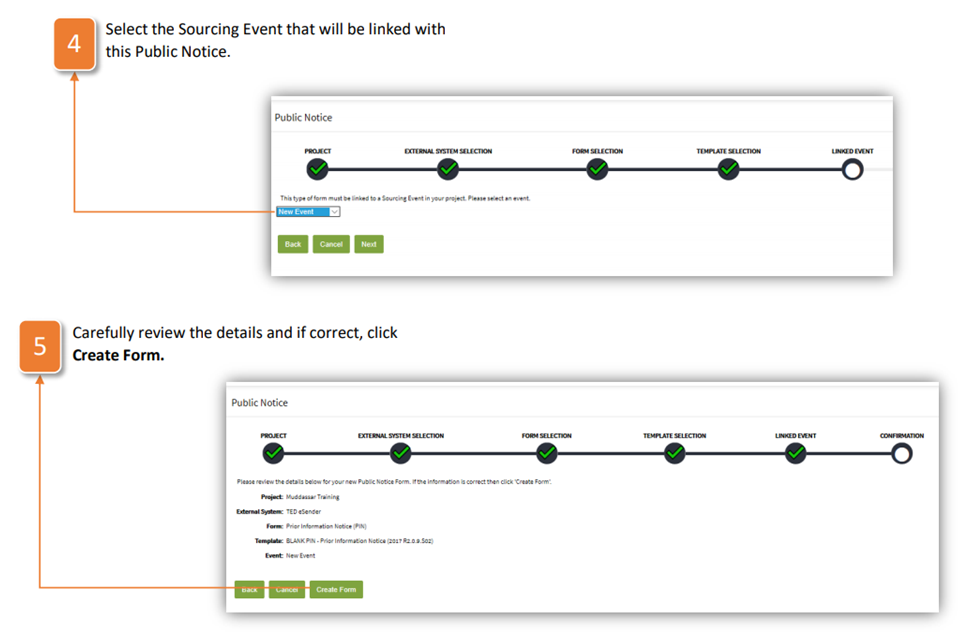
- Select the Sourcing Event that will be linked with 4 this Public Notice.
- Carefully review the details and if correct, click Create Form.
- At this point the form is created; it can be viewed and the following actions are available:
a. Edit Form to provide answers to the form questions. While editing the form no other users can edit it.
b. Edit Form Title to change the title of the form.
c. Validate the information provided on this form prior to its submission.
d. Generate PDF of the Public Notice for your records.
e. Publish Form to external system following its completion and validation.
f. Delete Form that is in draft status. Deleting the form will remove all information that you have previously provided.
g. Create Template using contents of the completed form. Questions and answers will be included within the new template.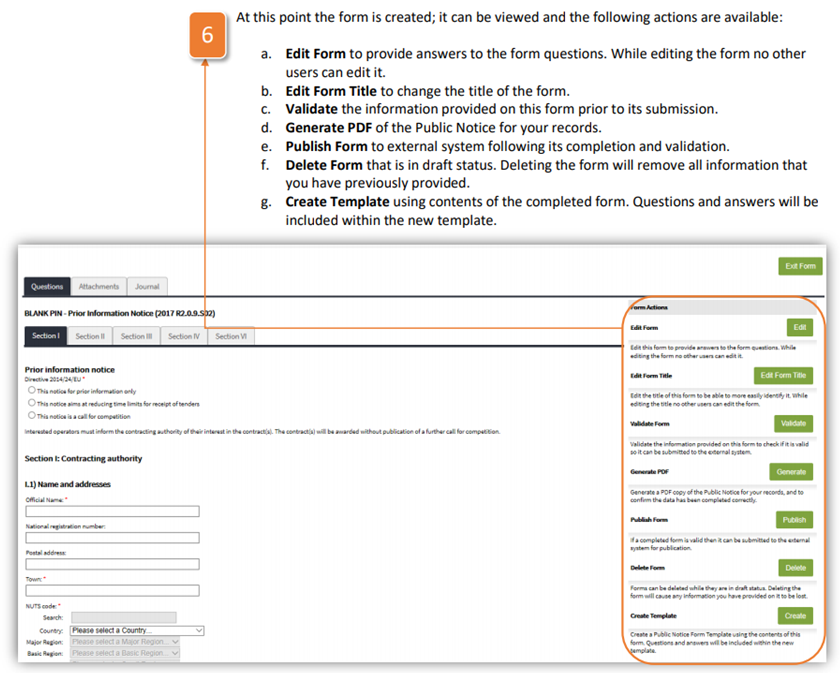
- Select the Attachments tab to view the attachments relevant to the form.
- Journal provides an audit trail of all significant activity within the negotiation which is name, date and time stamped and can be exported into Excel format for reporting purposes.
Was this article helpful?
That’s Great!
Thank you for your feedback
Sorry! We couldn't be helpful
Thank you for your feedback
Feedback sent
We appreciate your effort and will try to fix the article