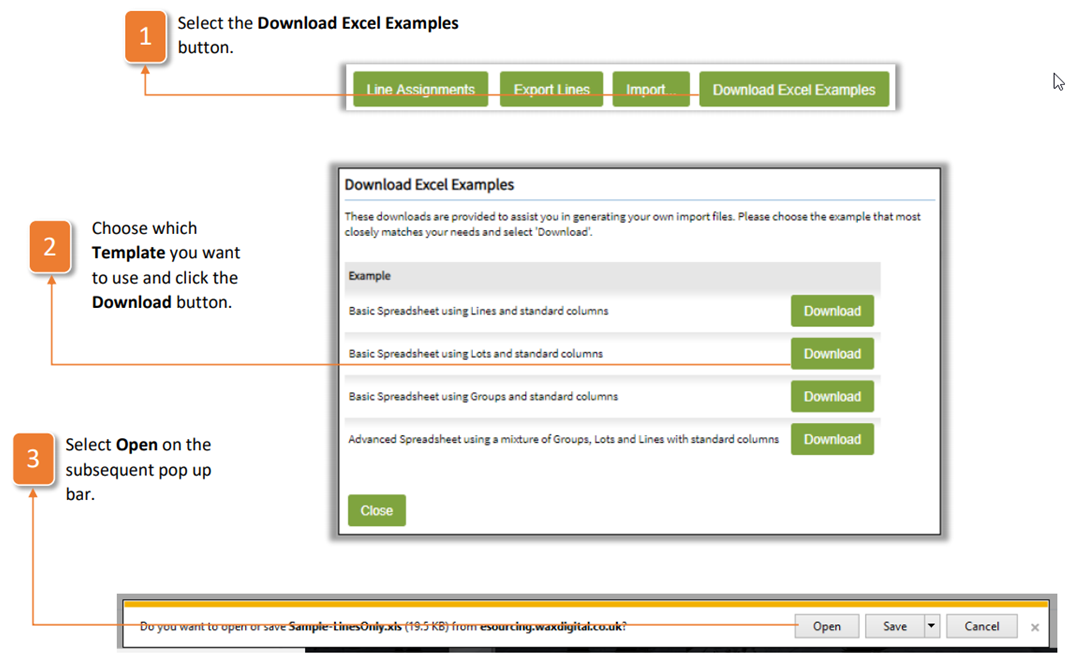
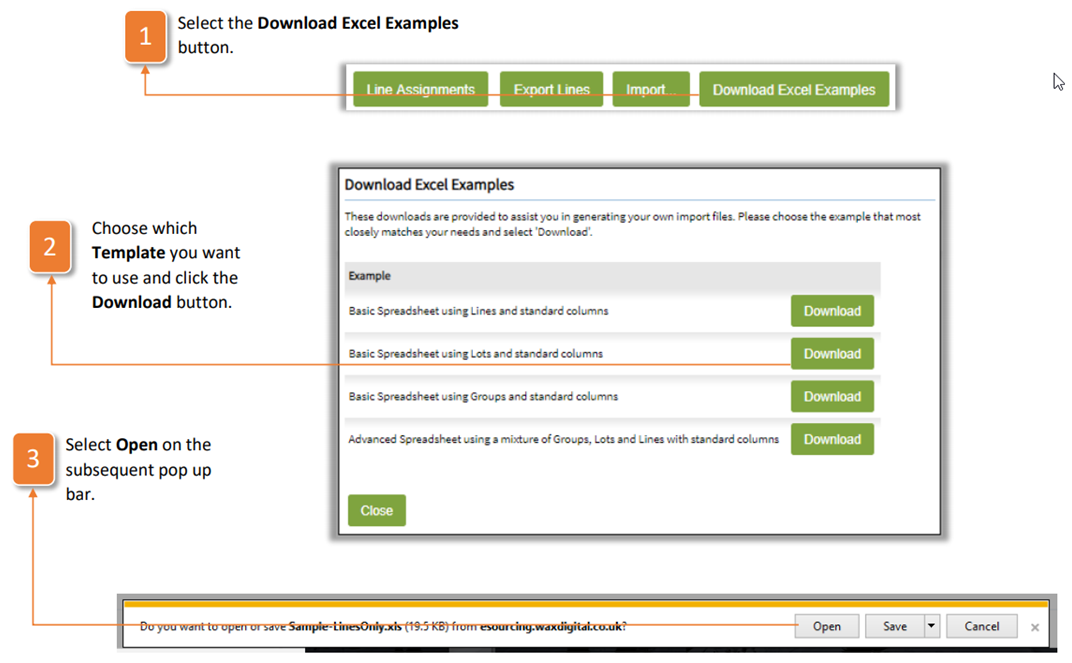
The application supports the use of excel template imports for the creation of lines. To do so, firstly you will need to download an excel template. Follow the instructions below to do exactly that:
- Select the Download Excel Examples button.
- Choose which Template you want to use and click the Download button.
- Select Open on the subsequent pop up bar.
- Complete the spreadsheet using the columns in the same way that you would from within the application
- Save the file to your local drive and go back to the Lines tab in the application of the tender you are creating.
- Select the Import button.
- Select the file using the Browse button and locating it on your local drive. Then, click Import to upload the lines, lots and groups. They will now appear beneath and can be edited from here.
- Click Commit All Changes to save the lines.
Was this article helpful?
That’s Great!
Thank you for your feedback
Sorry! We couldn't be helpful
Thank you for your feedback
Feedback sent
We appreciate your effort and will try to fix the article