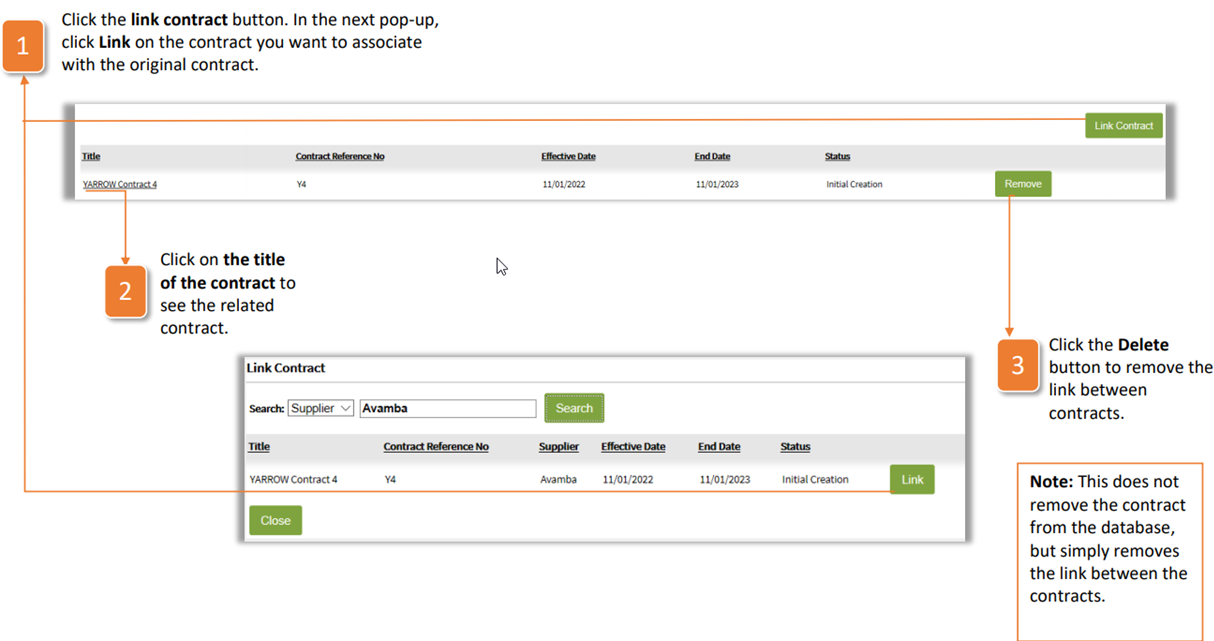
The Related Contracts tab links related contracts, i.e. framework agreements, global or regional contracts, the same provider that provides different goods/services. To link one contract to another:
Click the link contract button. In the next pop-up, click Link on the contract you want to associate with the original contract.
Click on the title of the contract to see the related contract.
Click the Delete button to remove the link between contracts.
| Note: This does not remove the contract from the database, but simply removes the link between the contracts. |
Was this article helpful?
That’s Great!
Thank you for your feedback
Sorry! We couldn't be helpful
Thank you for your feedback
Feedback sent
We appreciate your effort and will try to fix the article