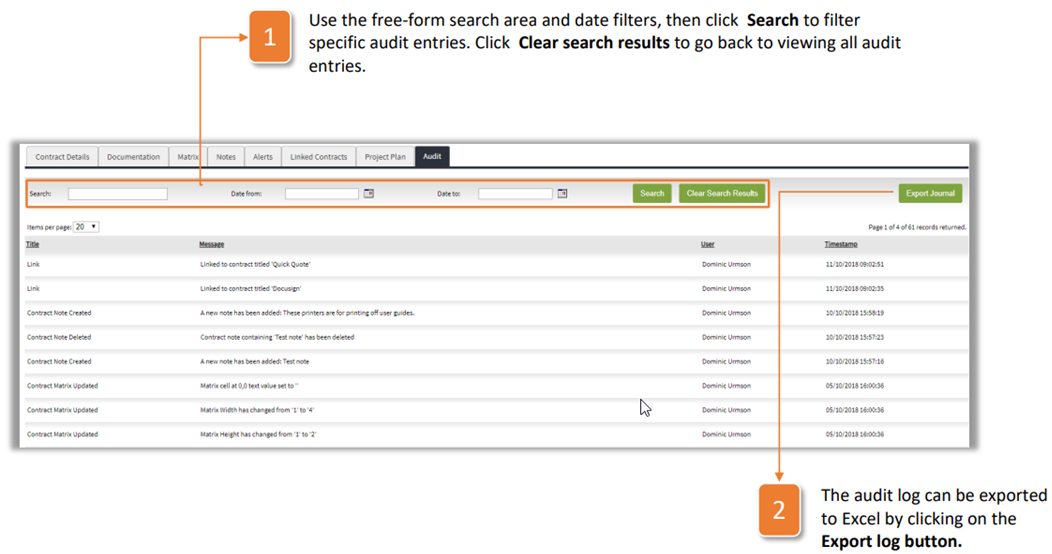
The Audit tab stores the audit trail of all activities recorded on a contract record to improve transparency and manage compliance. To use the audit tab, follow the steps below:
- Use the free-form search area and date filters, then click Search to filter specific audit entries. Click Clear search results to go back to viewing all audit entries.
- The audit log can be exported to Excel by clicking on the Export log button.
Was this article helpful?
That’s Great!
Thank you for your feedback
Sorry! We couldn't be helpful
Thank you for your feedback
Feedback sent
We appreciate your effort and will try to fix the article