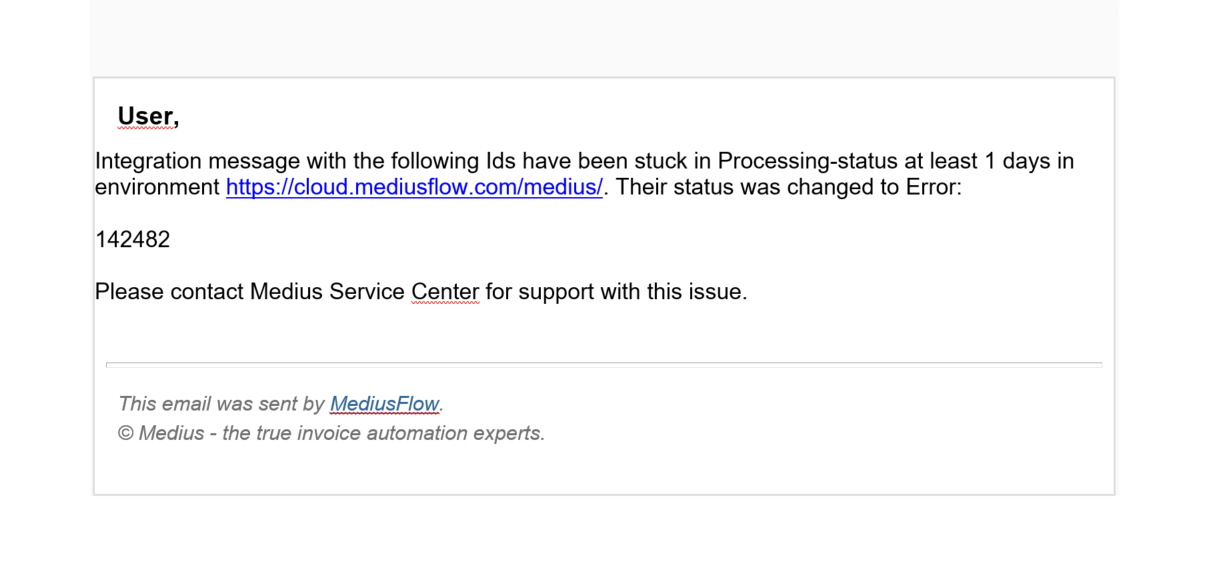
You received this message because:
you are assigned to the Integration queue handler role, and
you have the stuck integration messages reminder activated, and
there is an integration message stuck with the Processing status in the queue.
This means there is a problem with the document associated with this message. To find that document:
Copy the integration message number from the e-mail.
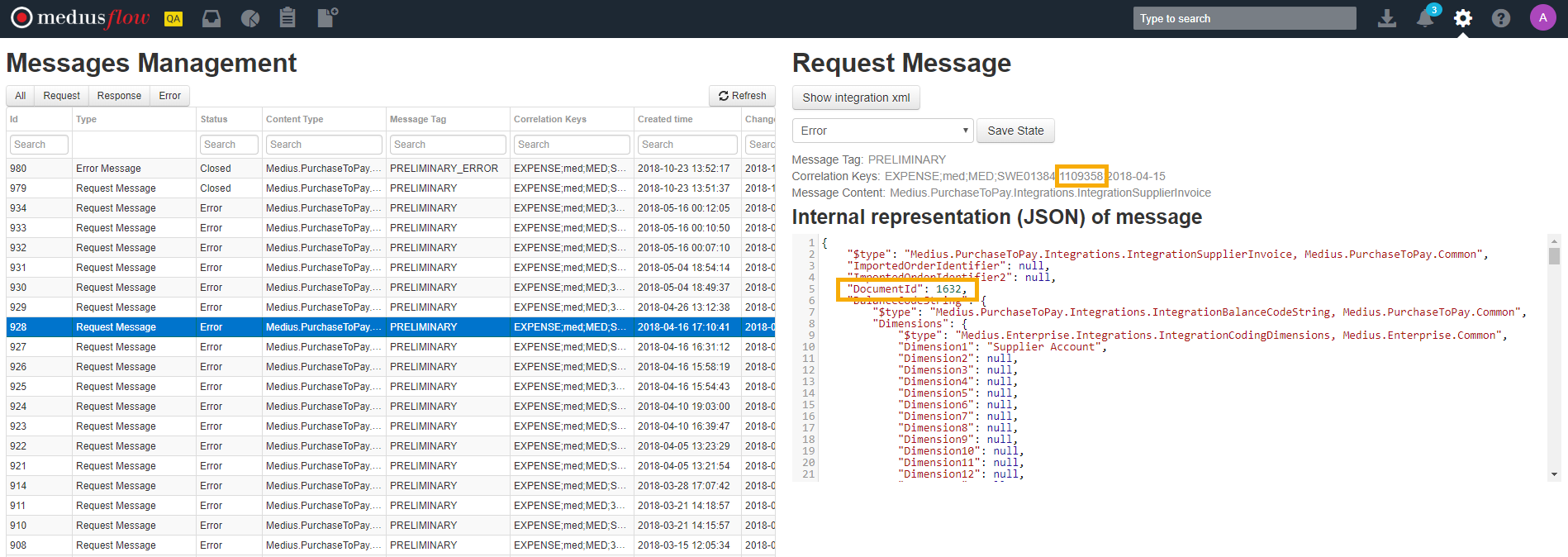
Go to the Messages Management screen available in the Administration menu. Note that you need the Admin role to be able to access the Message Management screen.
To locate the message, paste the integration message number into the Id filter field.
In the message, locate document information. You can do it in one of two ways:
For all message types: by looking at the Correlation Key - the invoice number is in the second-to-last segment of the key. For example, in
EXPENSE;medk;MED;SWE01384;1109358;2018-04-15, the invoice number is 1109358.For preliminary or final booking messages: By looking at the Document Id field in the internal representation (JSON) of the message. Document Id is only available on booking request messages.
Warning
If you are using the M3 or IBS system, be sure to check the status of the document in the ERP system before reposting the invoice.
Depending on the status of the document in your ERP system and the type of message you received, you can handle the document in MediusFlow in different ways.
If it is a booking message (Message Tag PRELIMINARY or FINAL), you can:
Cancel the booking and post the booking again if the booking has not reached your ERP system, or
Cancel the booking, add the preliminary or final voucher number on the invoice, and move it forward or archive it in MediusFlow, if the booking has reached your ERP system.
Note
Only users with the Integration queue handler role can abort a booking. For more information, see Why can't I handle an invoice in the integration step?.
If it is a voucher message (Message Tag PRELIMINARY_VOUCHER or FINAL_VOUCHER), it is a response from your ERP with a voucher that could not be processed. The easiest way forward is to add the voucher number to the corresponding invoice and:
if it is a preliminary voucher, add the voucher to the invoice and move it forward in the flow
if it is a final voucher, add the final voucher number and archive the invoice.
If you are unsure how to handle the invoice, contact Medius Support.
For more information, see stuck integration message reminder and messages management.
Was this article helpful?
That’s Great!
Thank you for your feedback
Sorry! We couldn't be helpful
Thank you for your feedback
Feedback sent
We appreciate your effort and will try to fix the article