When the communication between MediusFlow and the ERP system is disrupted, an invoice can remain in the integration booking step for an extended period of time. If your invoice is stuck in the Integration - preliminary or Integration - final booking step, follow the guide below.
Check if the invoice in question is preliminarily or finally posted in your ERP system. Be sure not to proceed with any actions before analyzing the state of the invoice in your ERP system.
If YES, follow the instructions from the Invoice posted in ERP section below. If NOT, follow the instructions from the Invoice not posted in ERP section instead.
Invoice posted in ERP
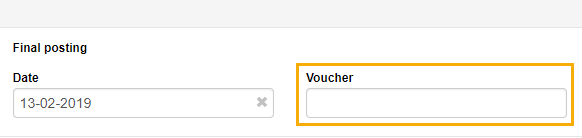
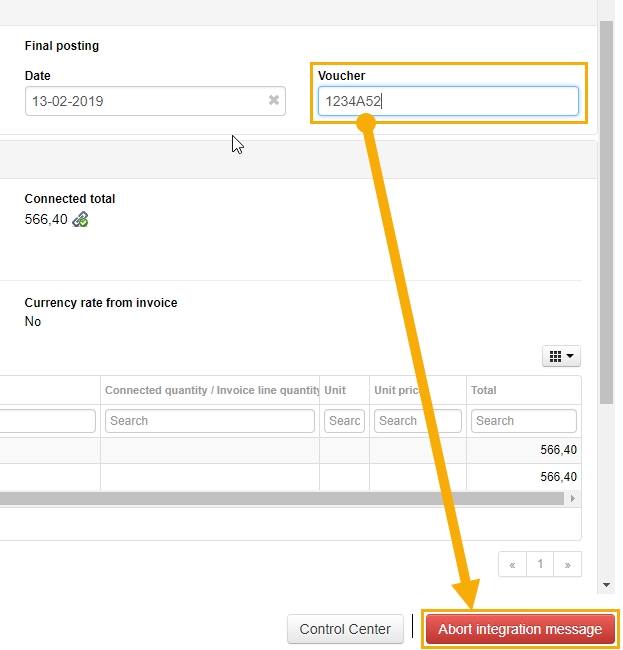
Find the voucher number assigned by the ERP system. Copy it and paste it into the Voucher field on the invoice. If necessary, you can also change the preliminary or final posting date to align with the booking in the ERP.
Click Abort integration message.
Note
Only users with the Integration queue handler role can abort a booking. For more information, see Why can't I handle an invoice in the integration step?.
Your document will be moved to the next workflow step - Preliminary integration error or Final integration error. If necessary, copy and paste the voucher number into the Voucher field again and click Skip integration step.

This will push the document to the next workflow step, e.g. archive during final booking. No message will be sent to the ERP system.
Invoice not posted in ERP
In the Integration - preliminary or Integration - final booking step, click Abort integration message.
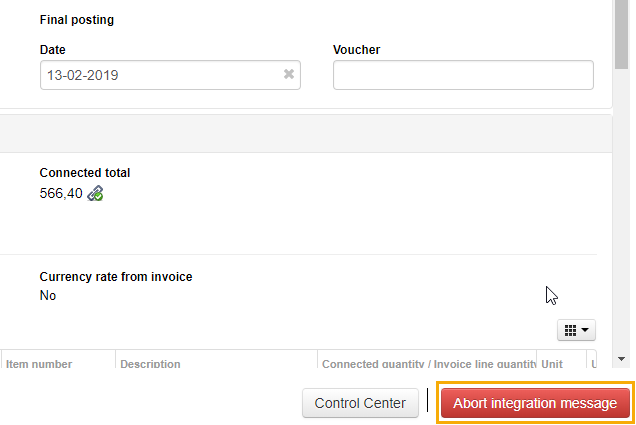
Your document will be moved to the next workflow step - Preliminary integration error or Final integration error. You can try to post it again by clicking Post again.

Was this article helpful?
That’s Great!
Thank you for your feedback
Sorry! We couldn't be helpful
Thank you for your feedback
Feedback sent
We appreciate your effort and will try to fix the article