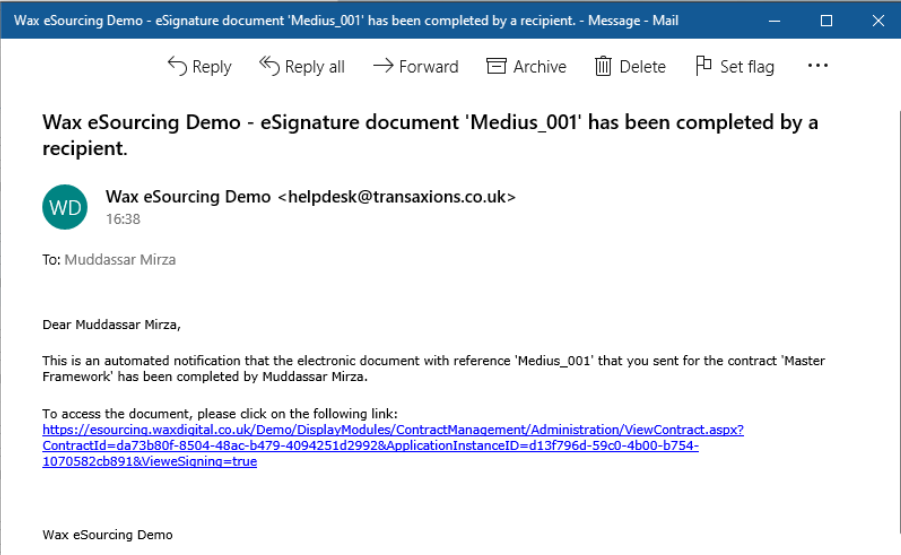
Once the Sign-Off Request recipient(s) have signed the document, you will receive an email notification letting you know that the request has been completed. To check the status of the document has changed, use the following steps.
- Click the link in the email notification OR sign into the Contract Management application and open the relevant contract
- Click on the Document Signing tab.
- Check the status of the document has changed to Complete.

- Click on the Documentation tab, the symbol next to the document should now be a green tick. A PDF with the signature will have now been generated.
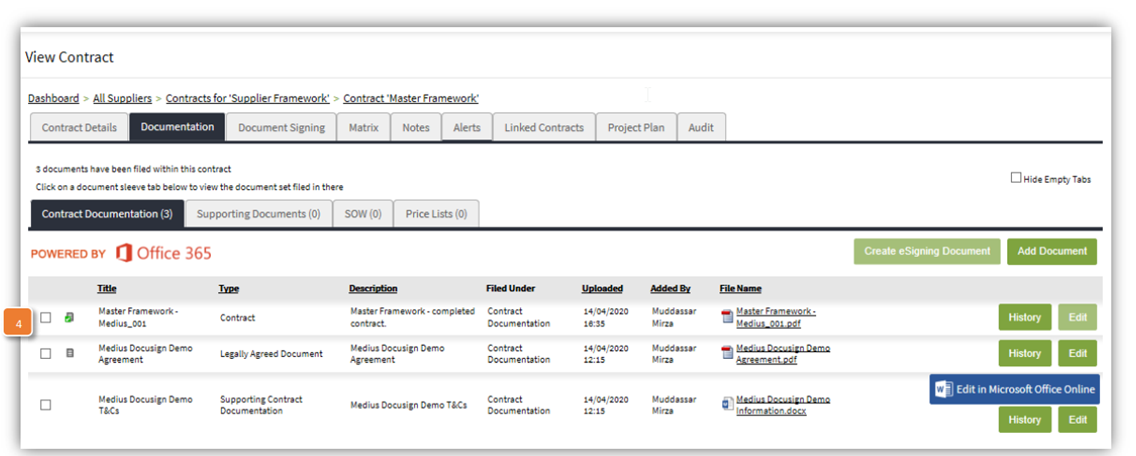
- A PDF with the signature will have now been generated.
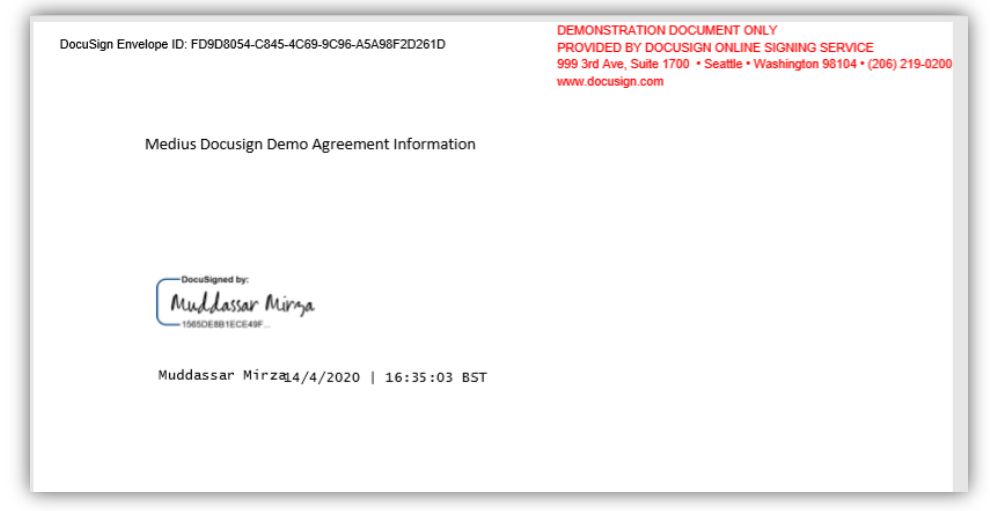
- And a certificate will be created by DocuSign below the original document.
Was this article helpful?
That’s Great!
Thank you for your feedback
Sorry! We couldn't be helpful
Thank you for your feedback
Feedback sent
We appreciate your effort and will try to fix the article