The Attachments tab allows you to include documents in the tender that can be made visible to both the supplier and buyer, or just the buyer. To upload an attachment that is visible to both the supplier and buyer, follow the instructions below:
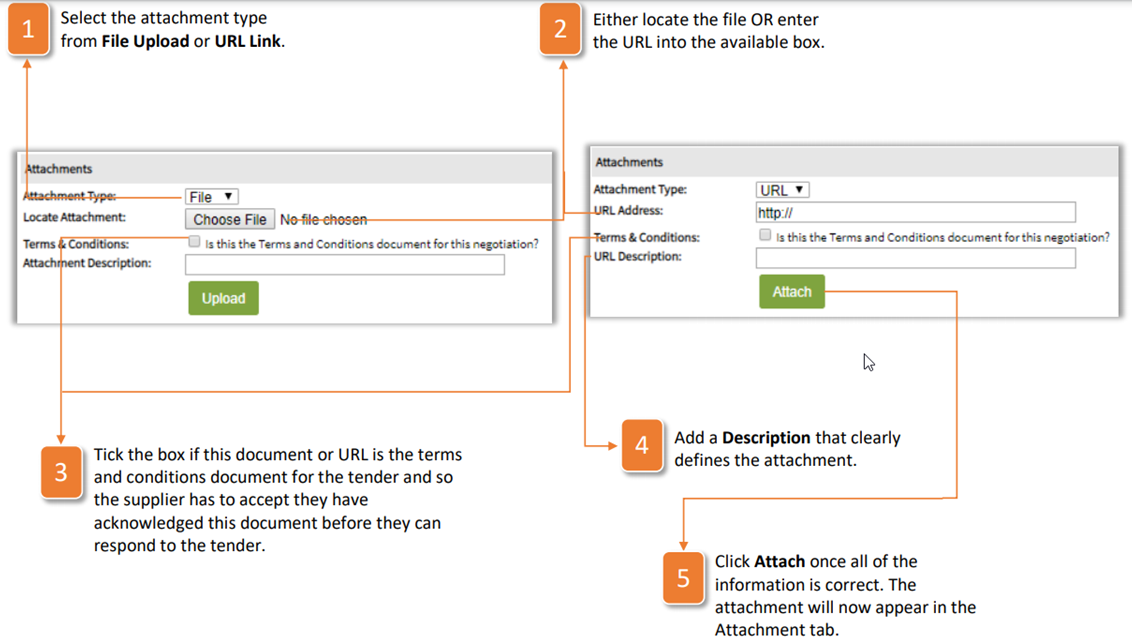
- Select the attachment type from File Upload or URL Link.
- Either locate the file OR enter the URL into the available box.
- Tick the box if this document or URL is the terms and conditions document for the tender and so the supplier has to accept they have acknowledged this document before they can respond to the tender.
- Add a Description that clearly defines the attachment.
- Click Attach once all of the information is correct. The attachment will now appear in the Attachment tab.
If you want to upload an attachment that only the buyers see, then follow the instructions below:
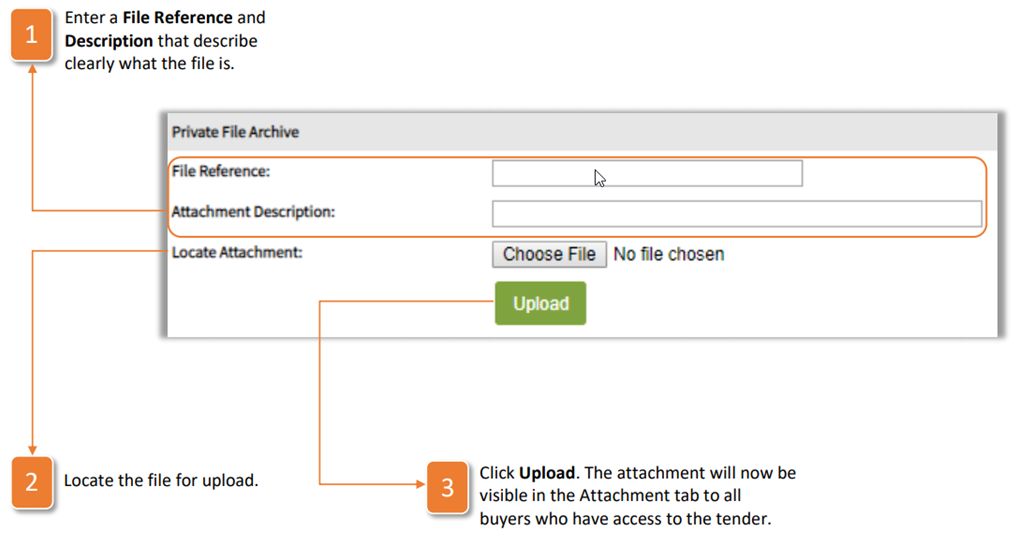
- Enter a File Reference and Description that describe clearly what the file is.
- Locate the file for upload.
- Click Upload. The attachment will now be visible in the Attachment tab to all buyers who have access to the tender.
Was this article helpful?
That’s Great!
Thank you for your feedback
Sorry! We couldn't be helpful
Thank you for your feedback
Feedback sent
We appreciate your effort and will try to fix the article