To upload a document to be authored use the following steps:
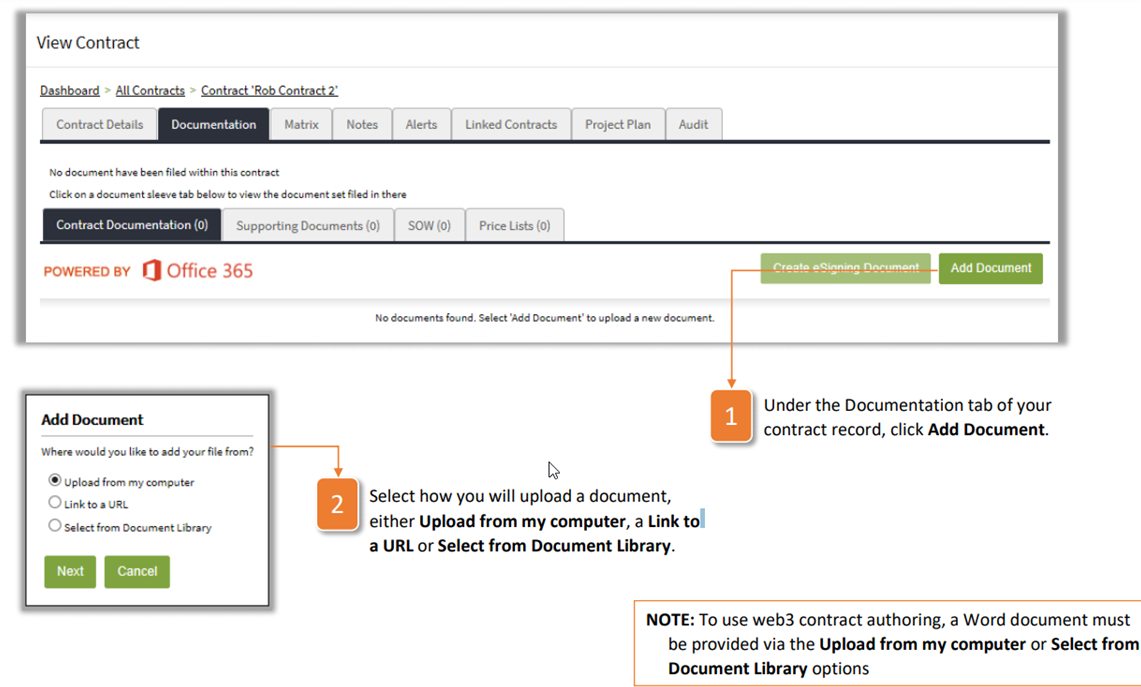
- Under the Documentation tab of your contract record, click Add Document.
- Select how you will upload a document, either Upload from my computer, a Link to a URL or Select from Document Library.
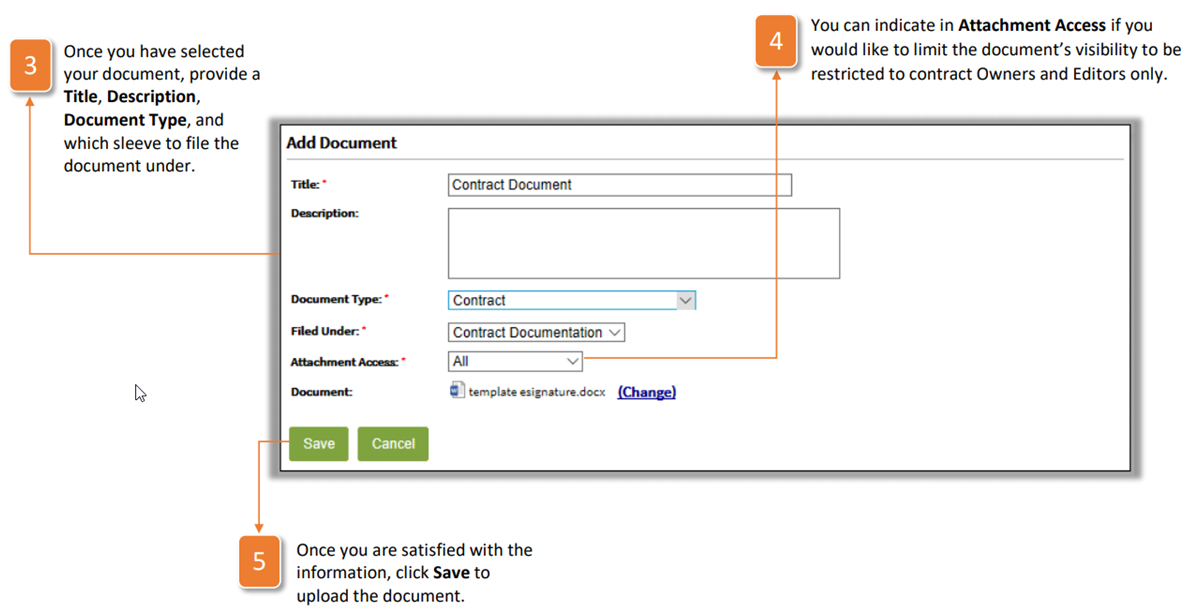
NOTE: To use web3 contract authoring, a Word document must be provided via the Upload from my computer or Select from Document Library options - Once you have selected your document, provide a Title, Description, Document Type, and which sleeve to file the document under.
- You can indicate in Attachment Access if you would like to limit the document's visibility to be restricted to contract Owners and Editors only.
- Once you are satisfied with the information, click Save to upload the document.
Was this article helpful?
That’s Great!
Thank you for your feedback
Sorry! We couldn't be helpful
Thank you for your feedback
Feedback sent
We appreciate your effort and will try to fix the article