Different geographical areas have different date and amount formats. MediusFlow uses each user's preferred format when displaying information.
To change your preferred format, follow the steps below.
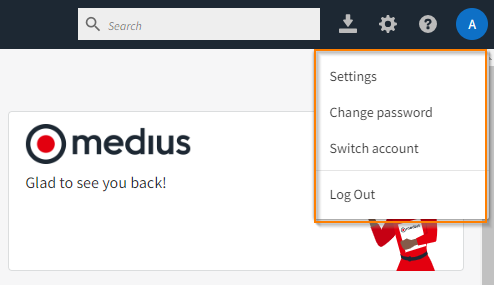
Click your initials in the top right corner of the application and select Settings.
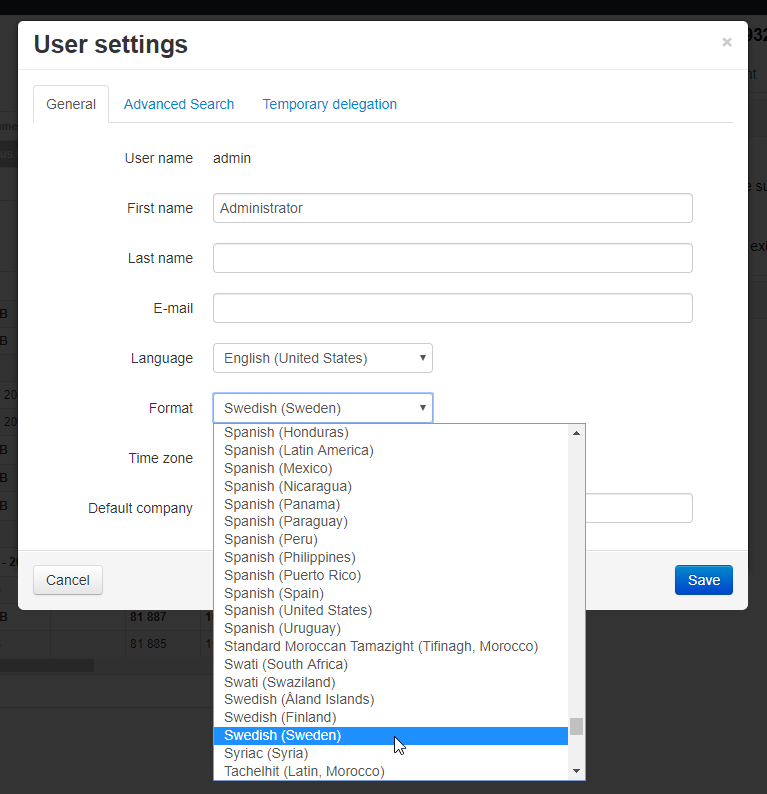
Specify your preferred date and amount format via the Format drop-down list. For the format change to take effect you will need log out and log in.
For more information about personal settings, see Personal Settings.
Was this article helpful?
That’s Great!
Thank you for your feedback
Sorry! We couldn't be helpful
Thank you for your feedback
Feedback sent
We appreciate your effort and will try to fix the article