Save time - streamline your process. By reducing manual, non-value added activities you get a quicker, more efficient workflow. This guide covers the main steps to improve automation of expense invoices:
Note that in this case, automatic distribution means expense invoices that go for approval without manual distribution.
How automated are you? - Measure your current performance
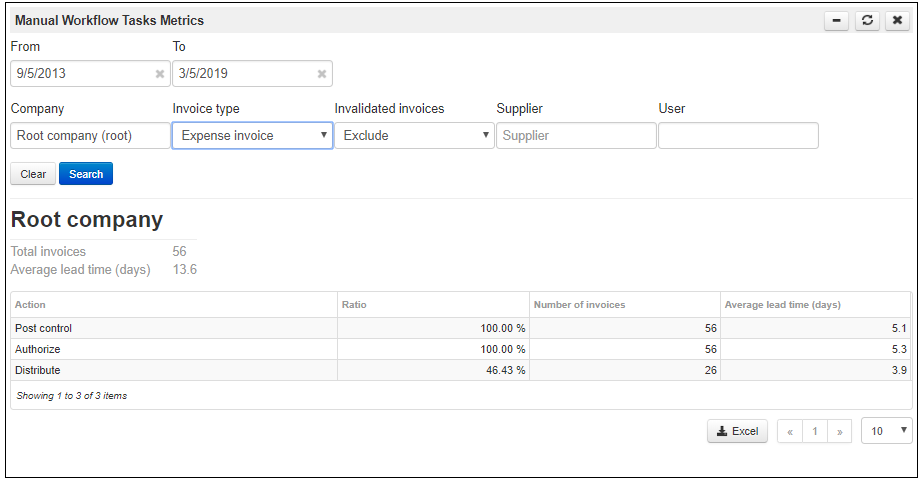
Use the Manual workflow task metrics gadget. With this tool you can determine the rate of invoices that stop for manual distribution (the Distribute step). Use gadget settings to Exclude invalidated invoices and get a number that can be compared to MediusFlow benchmarks. The automatically distributed invoices are the ones that are distributed by MediusFlow and not by a user.
Analyze your performance - Compare with peers and define your goals
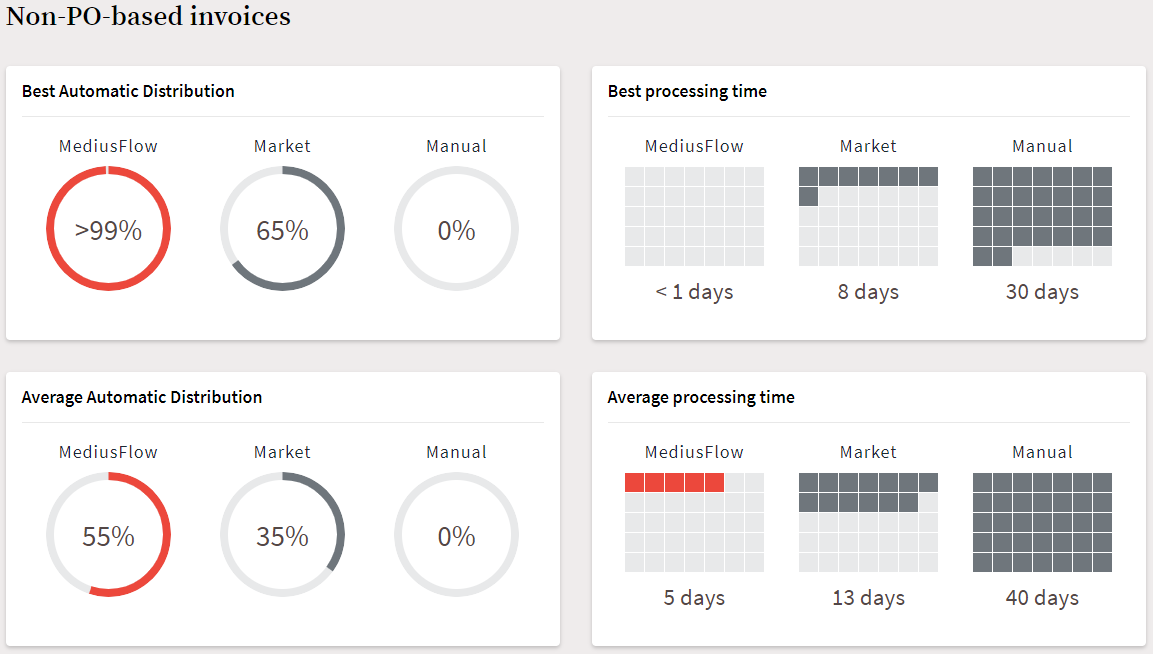
The next step is to go to benchmarks and compare your numbers with our Average and Leader categories to get insight on how automated your process is compared to other customers using MediusFlow. Note that the comparison should be made with benchmarks marked as MediusFlow, as the percentage for Market refers to approximations deemed by analysts as representative for the market overall.
Improve your performance - These steps will help you reach your target
The next steps depend on whether you code your invoices before they reach the authorizers.
YES - You need the invoice to be coded before authorization
Coding can be an excellent basis for distribution if the approvers can be derived based on it.
Make sure that coding is automatically applied, typically by a default accounting template on suppliers.
Find one coding dimension that will be your basis for distribution, for example Cost Center. This is preferably a dimension that is mandatory to code.
Set users responsible for your dimension values of the chosen dimension.
Your invoices will now be automatically coded and also distributed based on coding.
If this option is not applicable to you, or you have exceptions to the rule above, see the section below for additional options.
NO - Coding is handled by the authorizer
Your invoices can be distributed automatically based on the supplier or information on the invoice.
Set a supplier responsible on as many suppliers as possible
Get your suppliers to provide an invoice reference. An invoice reference can be either the name of a user or some other value on the invoice that corresponds to a role in the system.
Note
Not all invoices have to be distributed the same way. It is up to you to decide what distribution method to utilize first.
It is also a good idea to use the default accounting templates on suppliers to automate coding as much as possible even if you do not use it for distribution.
Establish a process - Maintain the result
Establish a process to work on your supplier configurations. When an invoice is manually distributed - what did you base that distribution on? When a new supplier is added, make sure to analyze what means of distribution would work best to maximize the automatic distribution of those invoices.
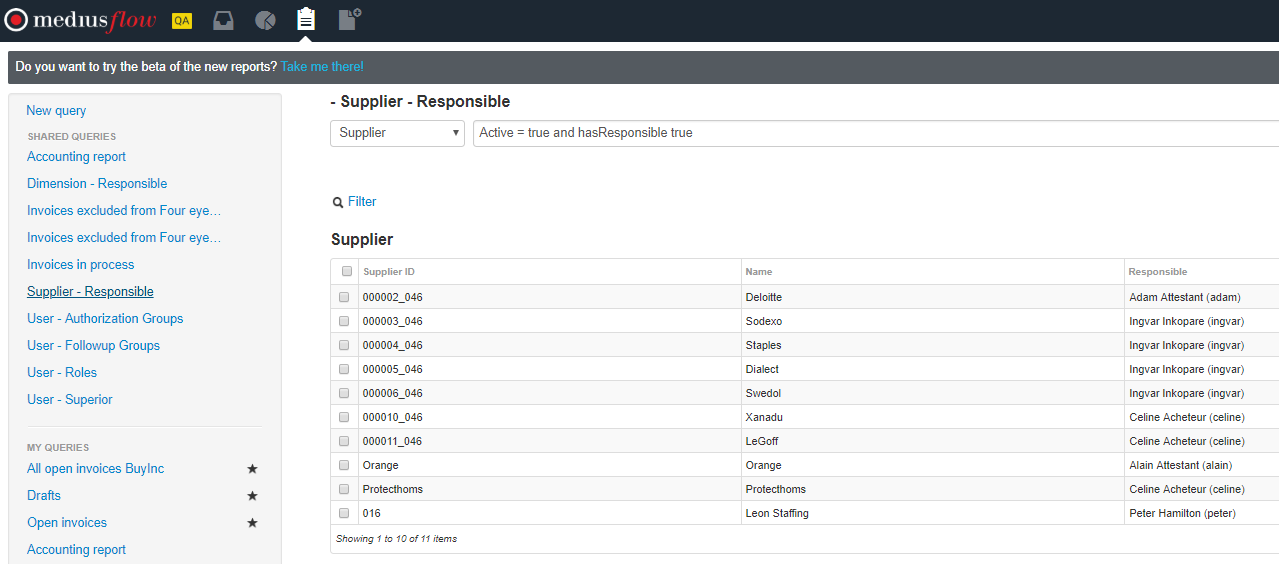
To get an overview of suppliers with a supplier responsible you can run the Supplier - Responsible report in Advanced Search.
Do not forget to follow up on your progress over time and to compare your statistics before and after changes. You can see the statistics over different periods by adjusting the dates in the Manual workflow task metrics gadget used in the first step of this guide.
Reach out to Medius if would you like further assistance in automating your invoice workflow.
Was this article helpful?
That’s Great!
Thank you for your feedback
Sorry! We couldn't be helpful
Thank you for your feedback
Feedback sent
We appreciate your effort and will try to fix the article