Save time - streamline your process. By reducing manual, non-value added activities you get a quicker, more efficient workflow. This guide covers the main steps to improve the touchless rate for order based invoices:
Note that in this case, touchless means all invoices that go from document import to Post Control without any manual work. If an invoice is stopped in Post Control, it is still considered touchless.
How touchless are you? - Measure your current rate
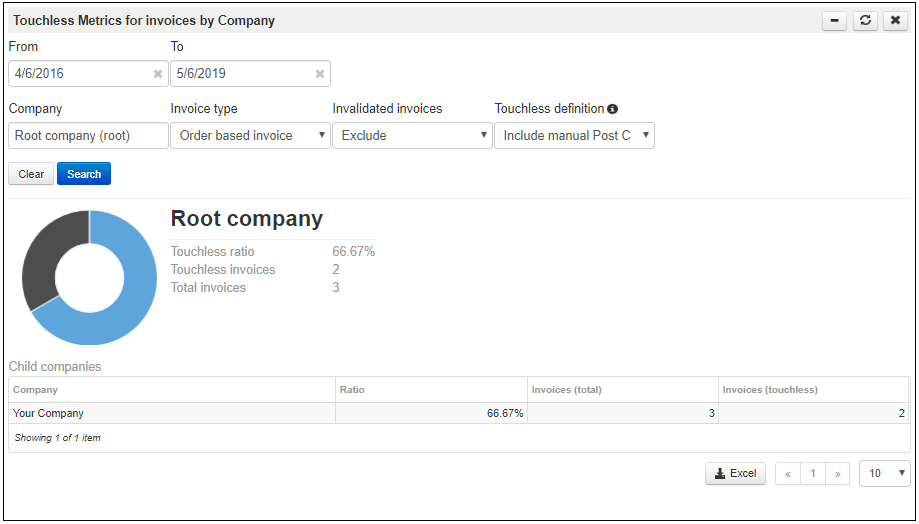
The Touchless metrics for invoices by company gadget will show how touchless your process is. To compare with benchmarks, use gadget settings to Exclude invalidated invoices and Include manual Post Control.
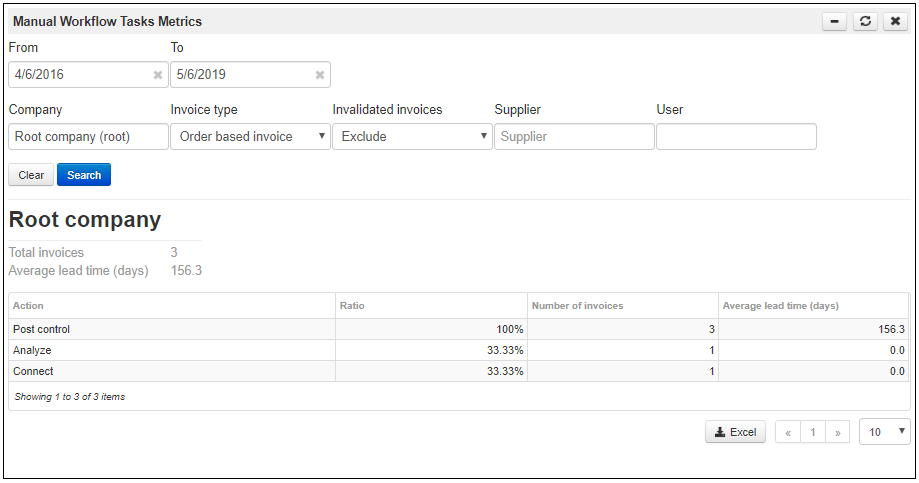
To get data for a specific task use the Manual workflow task metrics gadget. This gadget will display details for the Connect and Analyze tasks. These are the manual tasks that reduce the automation level.
To see the touchless rate by supplier, use the Touchless metrics for invoices by supplier gadget. Through this gadget you can identify what suppliers that have the lowest touchless rate, producing the most manual workflow steps.
Analyze your performance - Compare with peers and define your goals
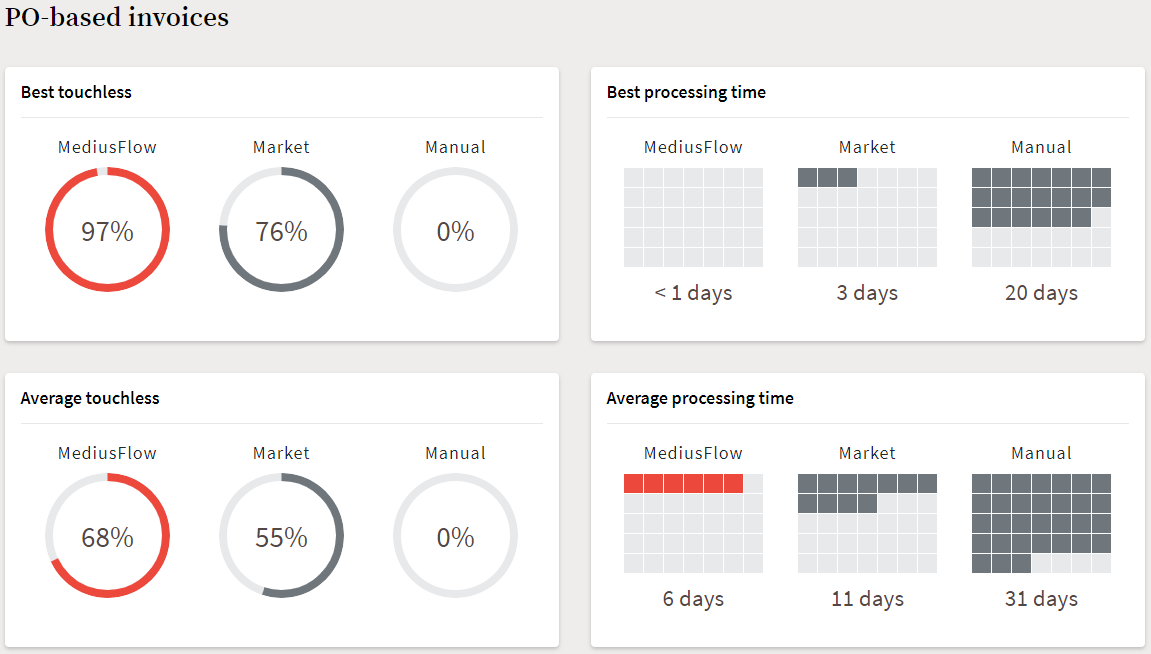
The next step is to go to benchmarks and compare your numbers with our Average and Leader categories to get insight on how well you perform compared to your peers using MediusFlow. The percentage for Market refers to approximations deemed by analysts as representative for the market overall.
Improve your performance - These steps will help you reach your target
There are several actions you can take to improve your numbers.
Use the waterfall principle - Allow different connection levels
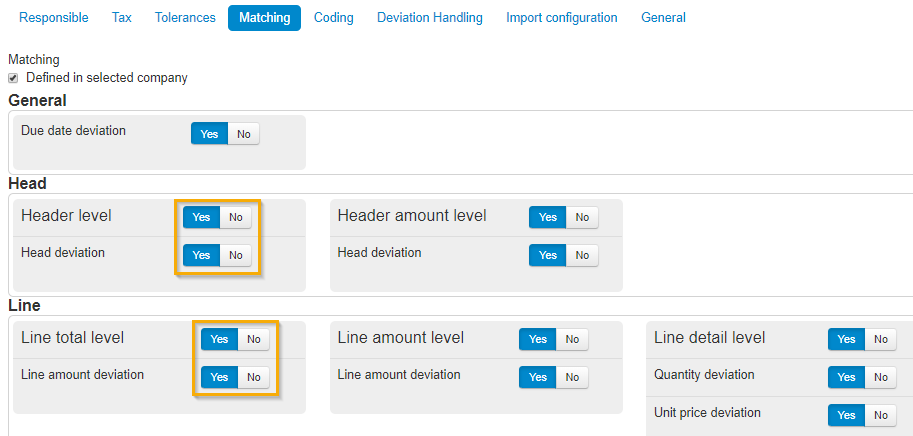
Allowing connections on line or head total can increase automation as the system connects goods receipts that match the price of the purchase order. This can solve a number of scenarios, for example:
item numbers that differ between invoice and purchase order
unit of measure that differs between invoice and order
suppliers that have a different representation of ordered goods (one item on order represented as three lines on invoice)
Use tolerances for connections and deviations
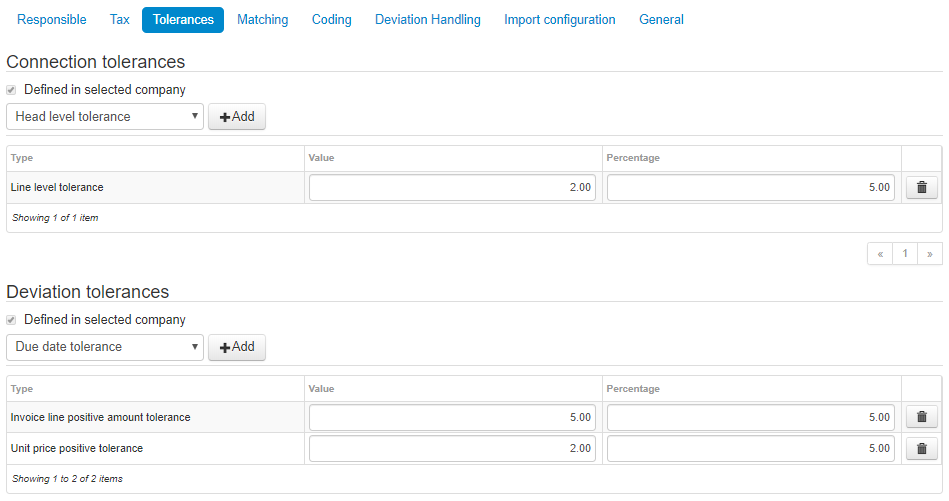
Find a good balance between control and automation by setting tolerances for connection and deviation analysis. This configuration can be set either on company or supplier level.
Set up exception types for extra charges
Invoice lines that are expected but not explicitly present on purchase order can be automatically handled by additional charges. They can be automatically connected and coded. If the invoice line is within limit, the invoice will flow straight-through. This configuration can be set either on company or supplier level.
Maintain correct prices in the ERP and on the Purchase Order
Keep your prices up to date and work with order acknowledgments. This way the unnecessary deviation analysis is avoided.
Keep your item registry accurate
If your item registry is up to date, MediusFlow will be able to connect invoice lines where the invoice supplier is using their own item number.
Reach out to Medius if you would like assistance in automating your invoice workflow.
Was this article helpful?
That’s Great!
Thank you for your feedback
Sorry! We couldn't be helpful
Thank you for your feedback
Feedback sent
We appreciate your effort and will try to fix the article