The information on top of the invoice is the invoice summary. Content of this section is configurable for a user with the Admin role. For information on the fields you can display in this section, see the documentation.
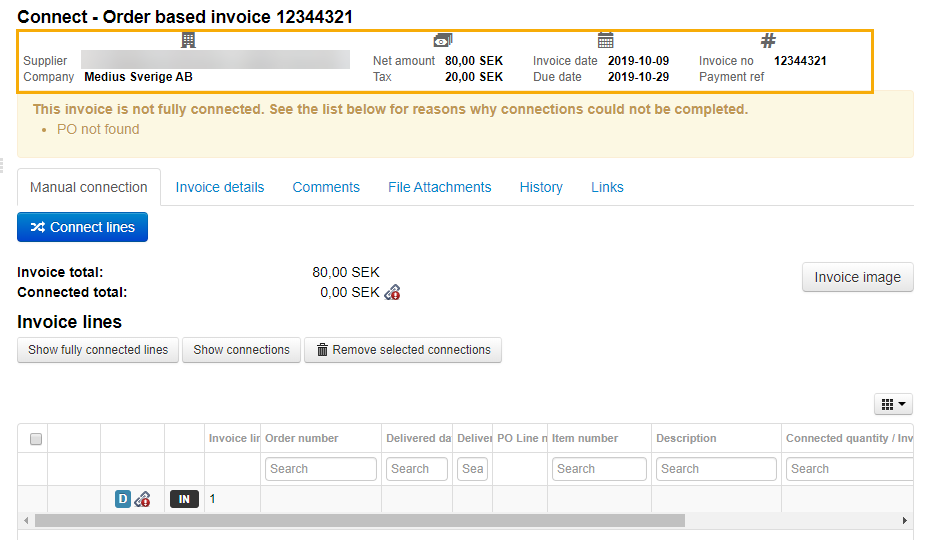
To modify the invoice summary:
Open the Company administration page
Navigate to the Enterprise tab
Select Supplier invoice summary. You can modify content of each section, but not the number or order of sections.
For each section select the fields you want to show from a dropdown list
Save your changes
Reload any invoices you have opened for the new summary view to be visible.
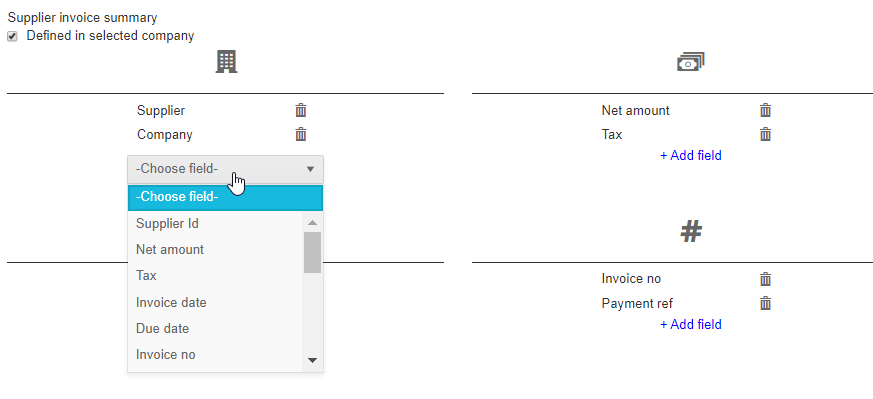
For more information about supplier invoice summary, see Supplier invoice summary.
Was this article helpful?
That’s Great!
Thank you for your feedback
Sorry! We couldn't be helpful
Thank you for your feedback
Feedback sent
We appreciate your effort and will try to fix the article